Once you've uploaded your membership data from ScoutBookPlus™, you can proceed to upload the "Activity Log Report" file from ScoutBook Plus. This will add each member's participation history to the Credit For Other Activity in your TroopWebHost database.
To produce this report, log on to Scoutbook Plus and go to the Reports page as shown here:
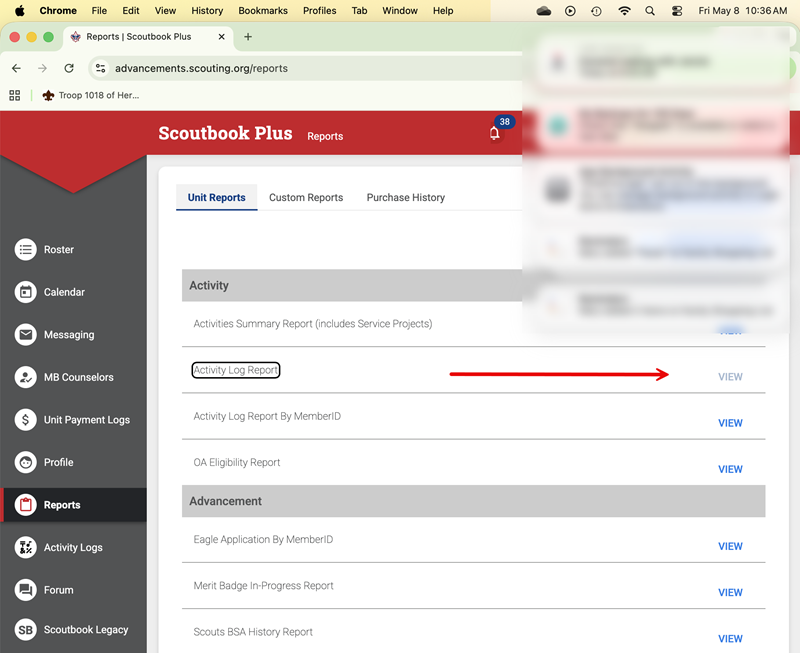
Click the View button to the right of the Activity Log Report title to go to the next page.
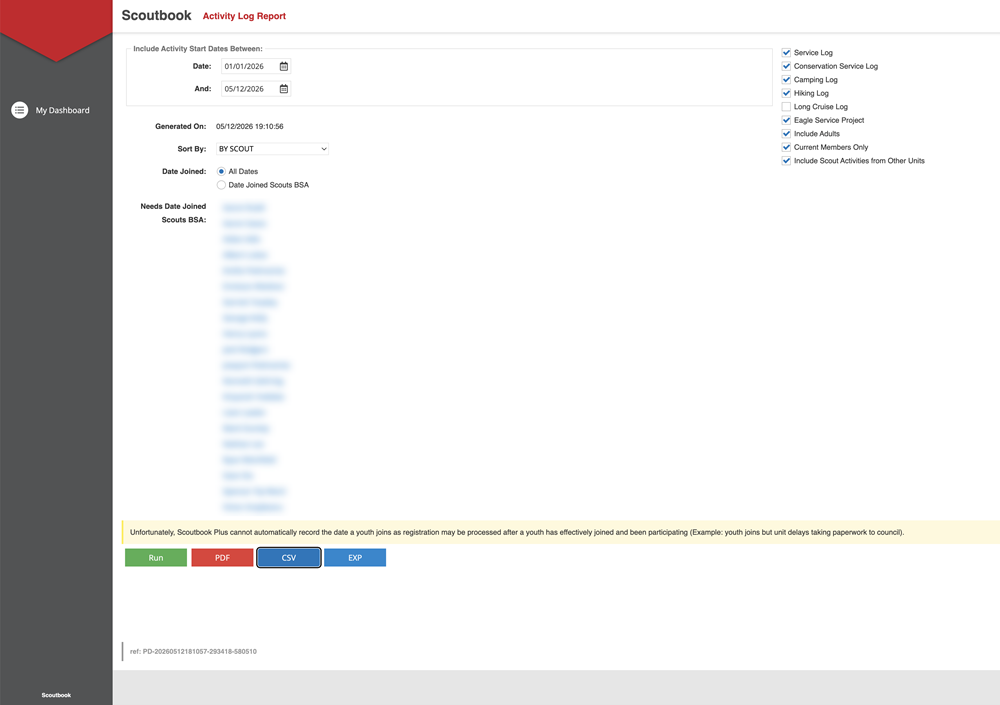
Select the dates for which you wish to pull this activity, and check the boxes on the right as shown above.
Then press the CSV button at the bottom to produce the report in CSV format. Remember where you saved this file, so you can retrieve it in the next step.
Log on to TroopWebHost, and from the Main Menu go to Advancement → Upload Advancement → Upload ScoutBook Plus Activity Log Report
You should see the screen shown here:
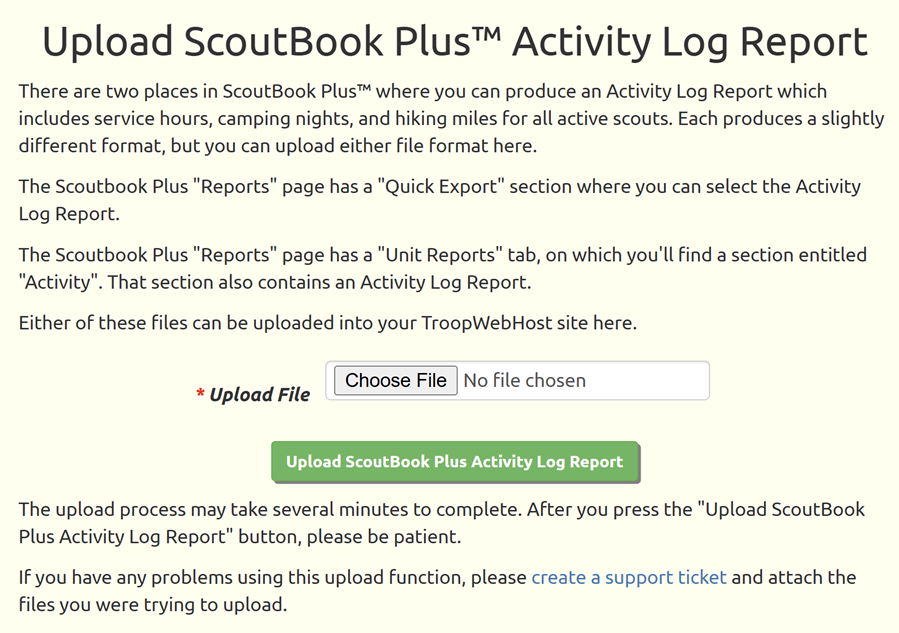
Click the Browse button to find the log file that you exported from ScoutBook Plus™.
Click the Upload ScoutBook Plus Activity Log Report button to begin loading this data into TroopWebHost.
This process may take several minutes, so please be patient and do not click the button a second time.
This file does not include any distinction between tent camping nights and cabin camping nights, so these will all be recorded as regular camping nights in TroopWebHost, not cabin camping.
There is also no distinction between hiking miles and backpacking miles, so all miles will be recorded as hiking miles.
The file does distinguish between community service hours and conservation service hours.
Any necessary corrections should be made in TroopWebHost after the upload is complete.